All Check In Kiosks are provided by BaseCamp and connect directly to Baseline and any of our third-party tooling. This ensures accurate information and fast connections.
Internet is required. The kiosks cannot operate offline. For information on accessing backups check out this article: Internet Backups/Failovers
TABLE OF CONTENTS
Step-by-Step Guide
Load the Kiosk on the Tablet
- Open your devices web browser (chrome or safari)
- Navigate to: INSERT URL
Download the App to your Home Screen
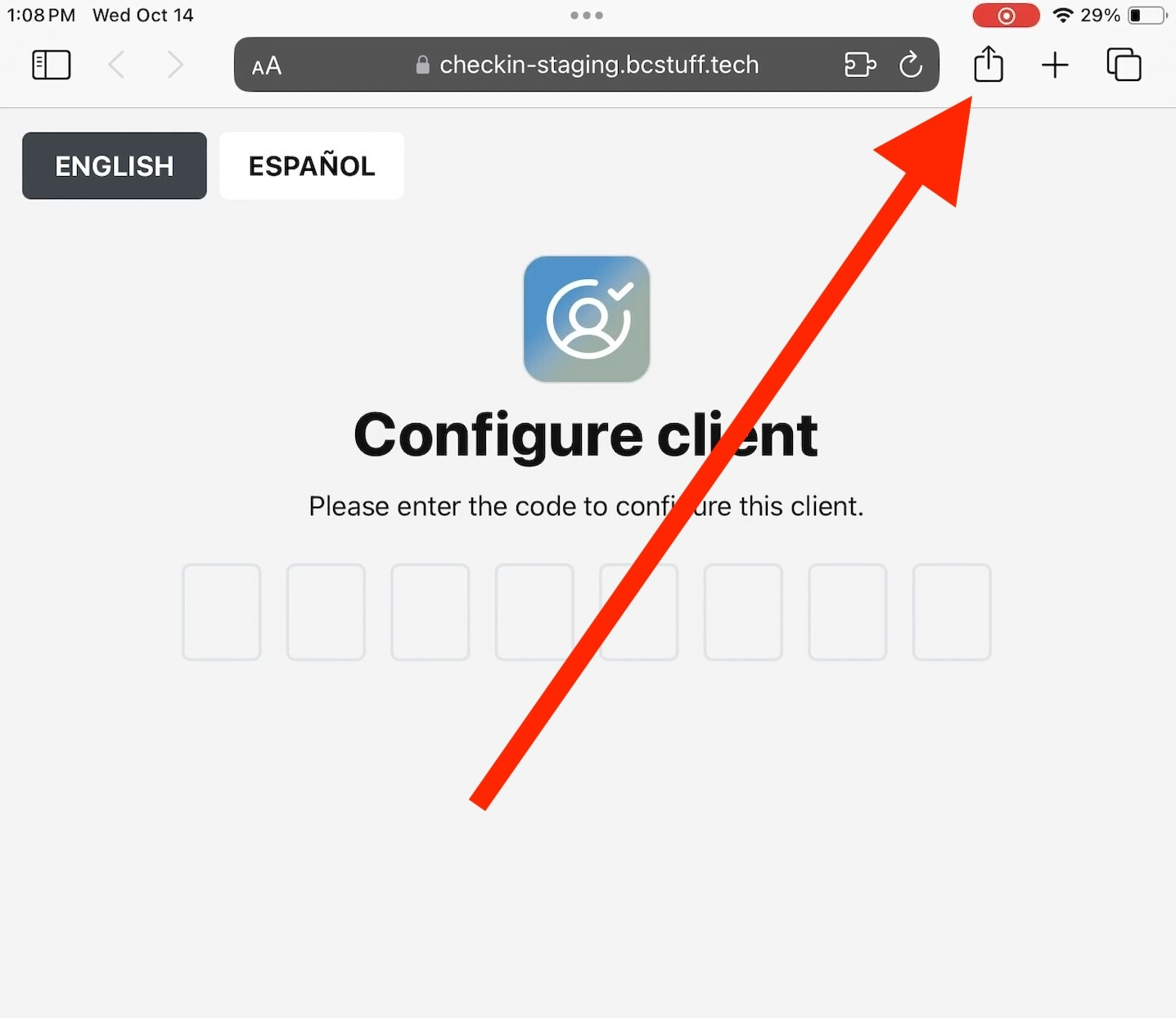
- Click the Share icon
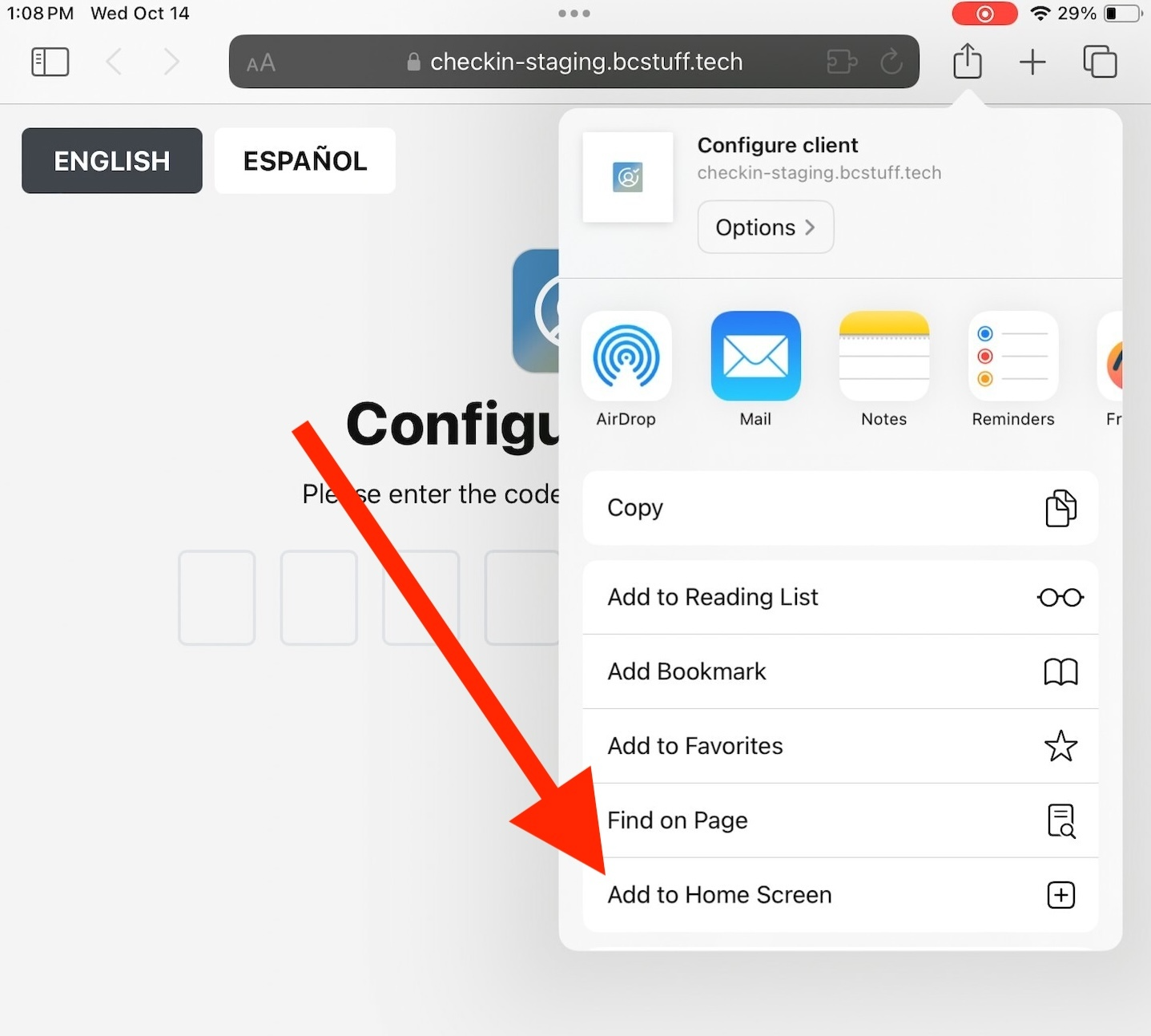
- Scroll and select "Add to Home Screen"
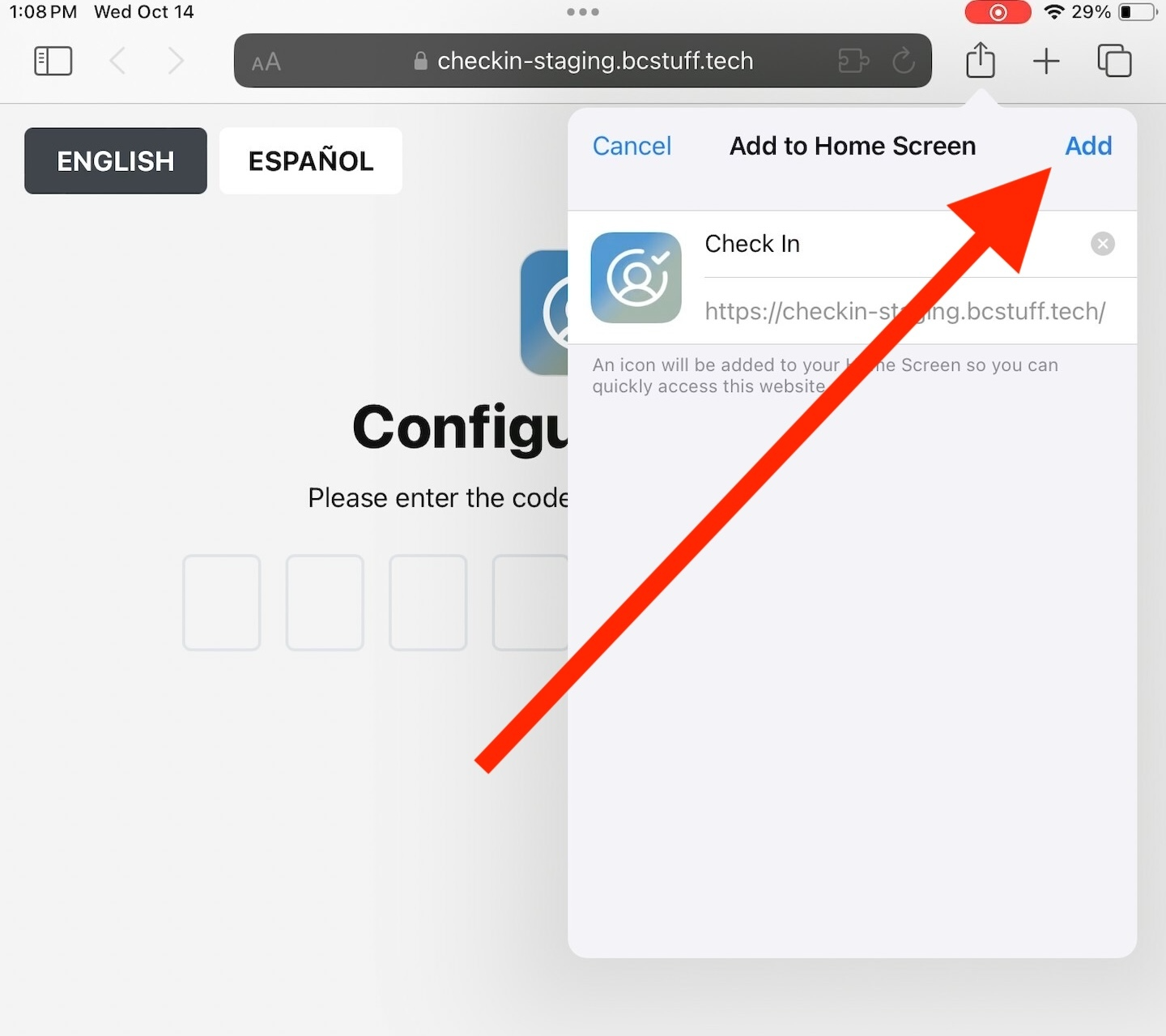
- Select "Add"
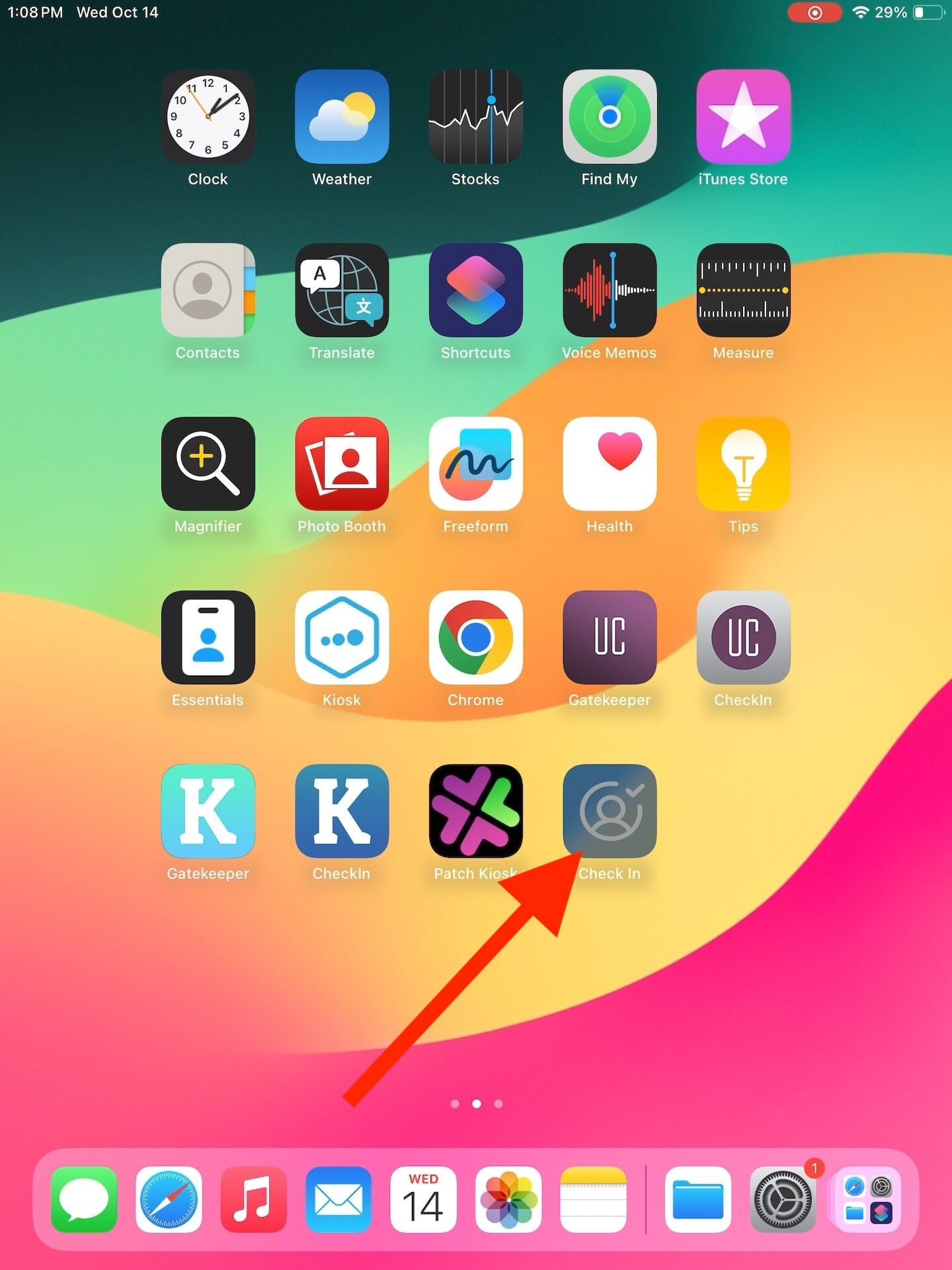
- Exit out of the web browser
- Find and select the new Check In App on your device
Configure the Kiosk
- In Baseline navigate to Settings > CHECK-IN > Configure Client
- Click "Generate Code"
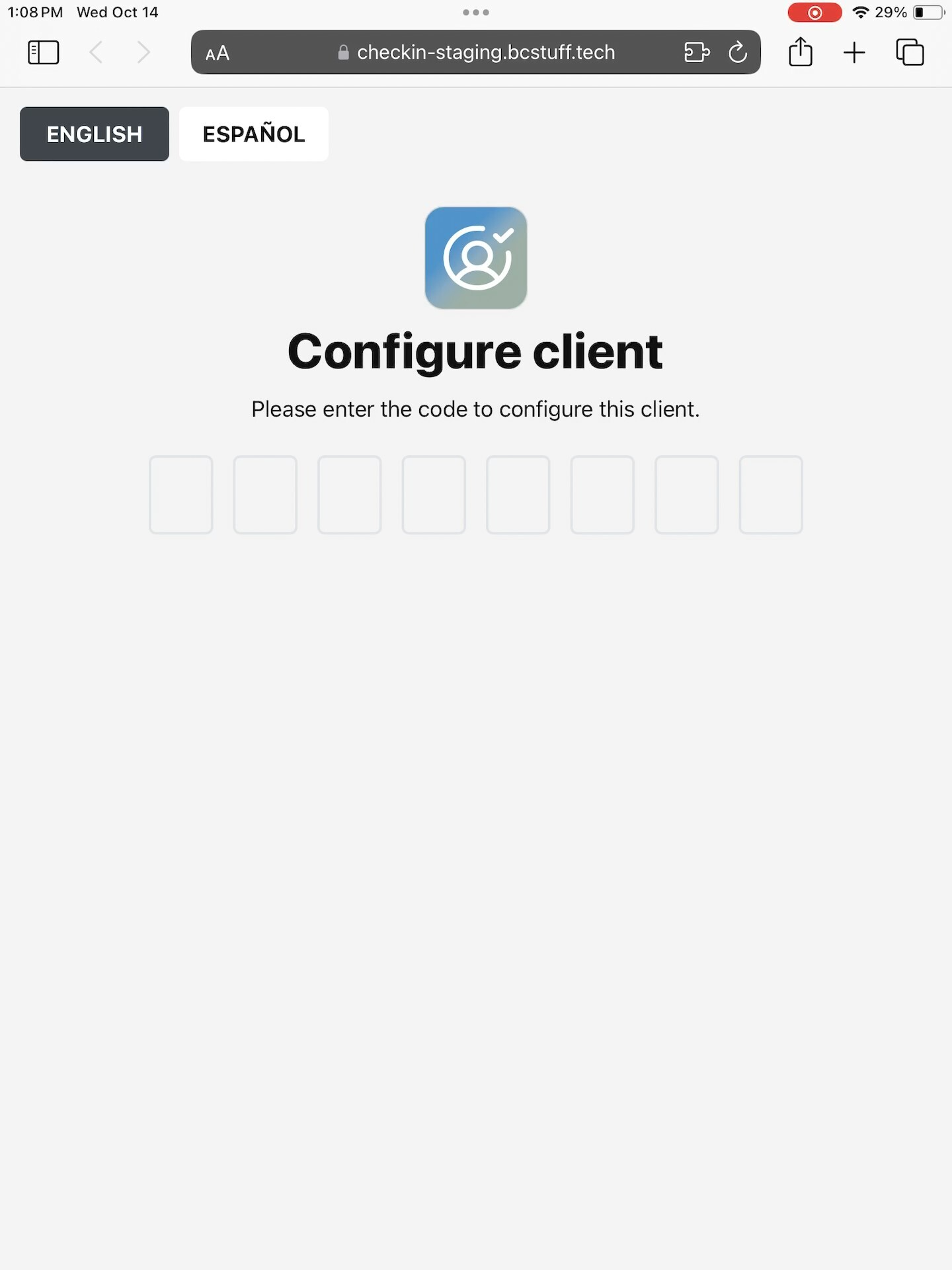
- Now, back on the tablet, enter the code
Select the flow
- Select whether this is a shopper of Vendor Check in
- IF this is a shopper check in, you will also need to select which register you want to connect this device to. This creates a seamless experience for Invoice Quick Start
Check in Customers!
Was this article helpful?
That’s Great!
Thank you for your feedback
Sorry! We couldn't be helpful
Thank you for your feedback
Feedback sent
We appreciate your effort and will try to fix the article