Sometimes IMAP will not send out a nightly email and although this is annoying, it is easily recoverable by anyone at the store with IMAP.
TABLE OF CONTENTS
Issue Description
Sometimes the nightly email will not send, but you can make it send by manually sending it yourself and sometimes backed up nightly emails will send after testing email works.
Basic Troubleshooting Steps
If you need to resend the nightly email for a specific night, please follow this guide below,
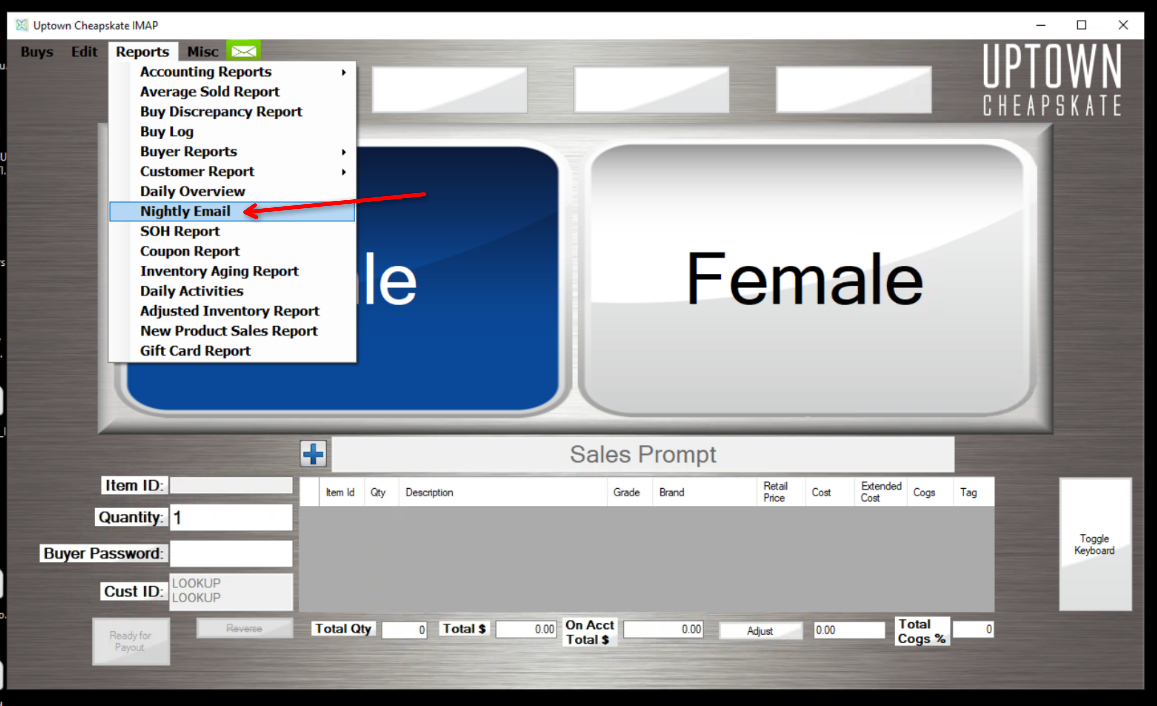
- Go to Reports
- Go to Nightly Email
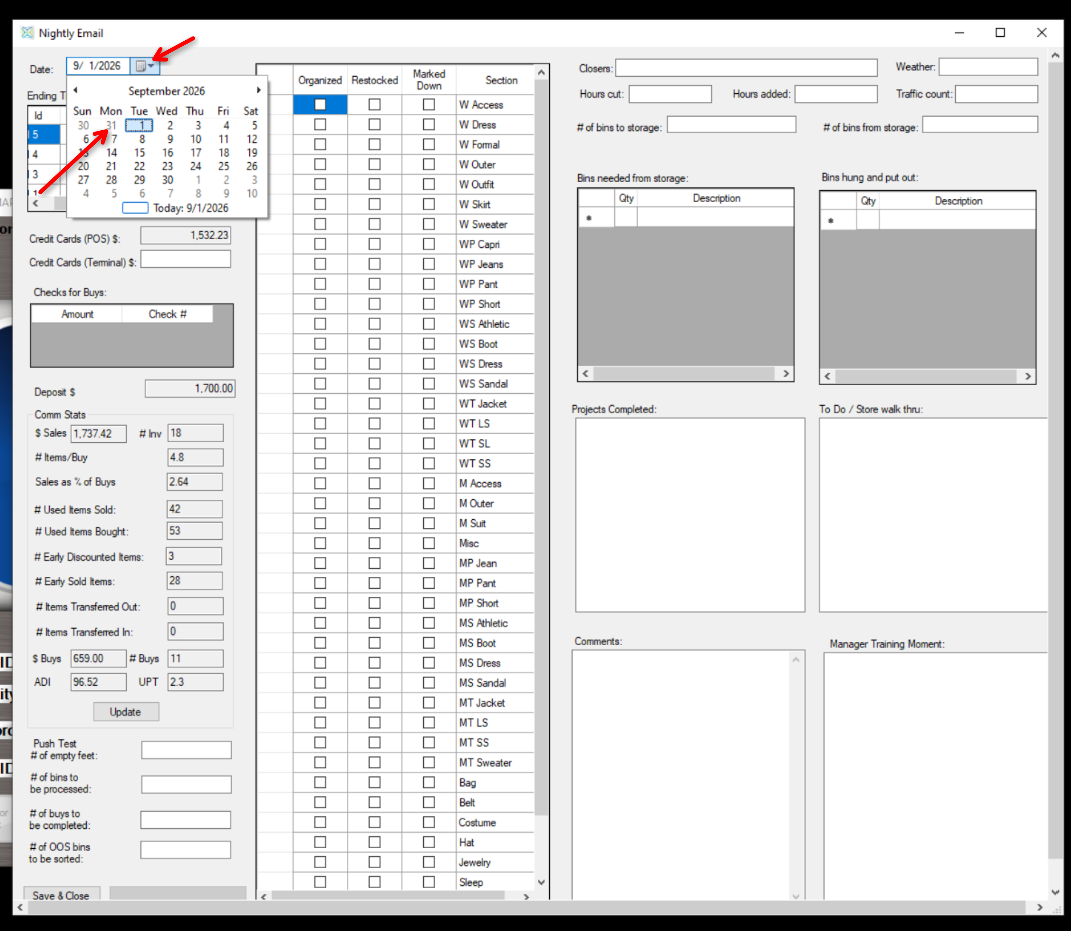
- Set the Date to the night of the missed email. For example, if today is 9/1/2026 and there was no email last night, set the date to 8/31/2026
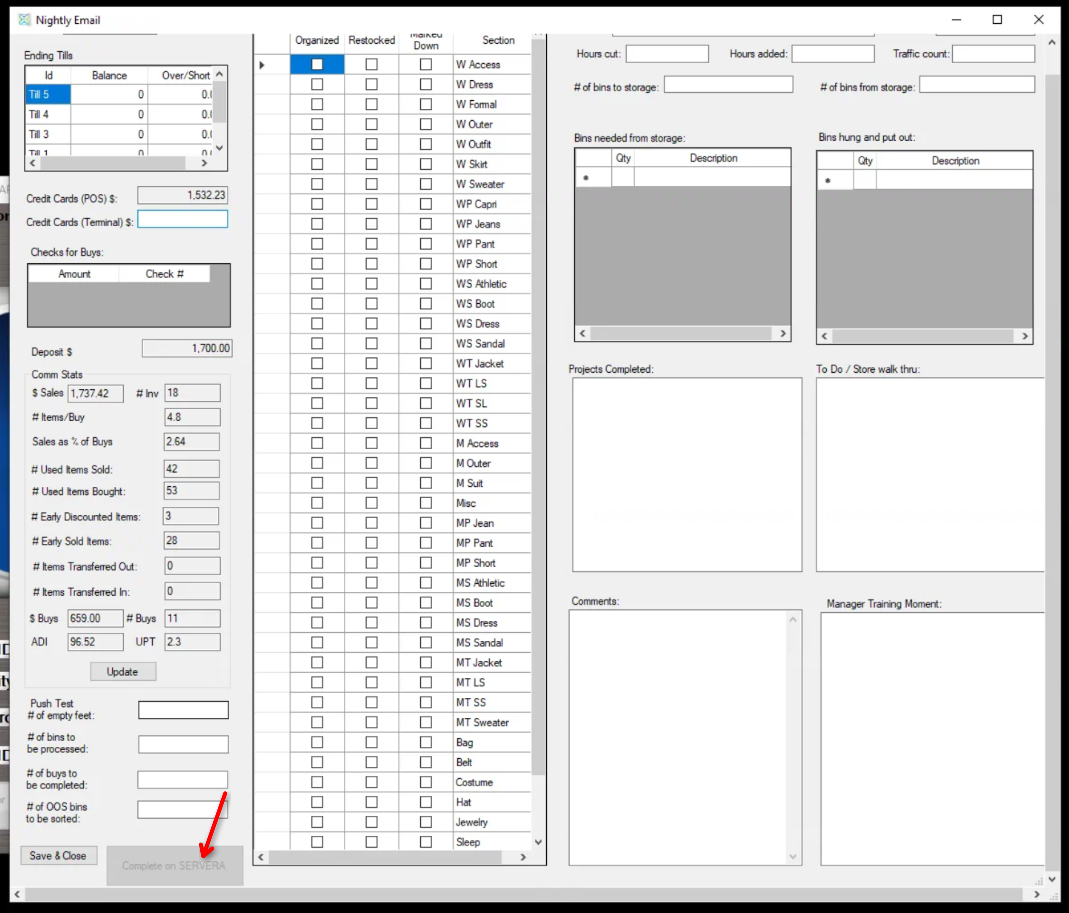
- Click "Complete and Send" at the bottom of the nightly email window
- If it is greyed out, you'll need to do the process on the sync computer which is usually Computer A. The greyed out button will tell you which computer to send from. For example, "SERVERA" will mean, "Computer A".
Testing Emails can Send
Often sending a test email will cause IMAP to send any missed nightly emails that should have been sent. Please follow the steps below to send a test email.
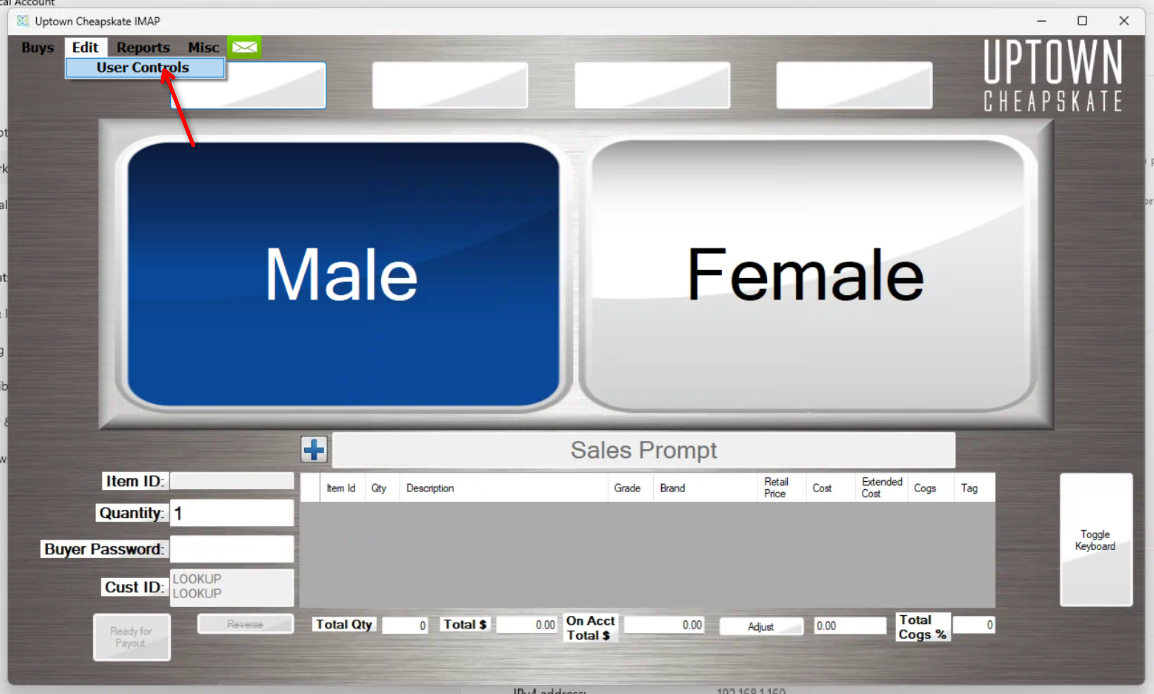
- Click Edit
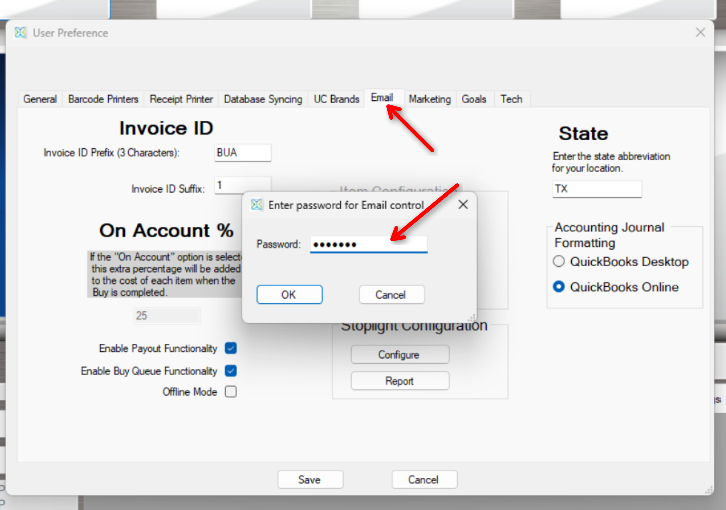
- Click User Controls
- Click Email, the owner/manager should know the password
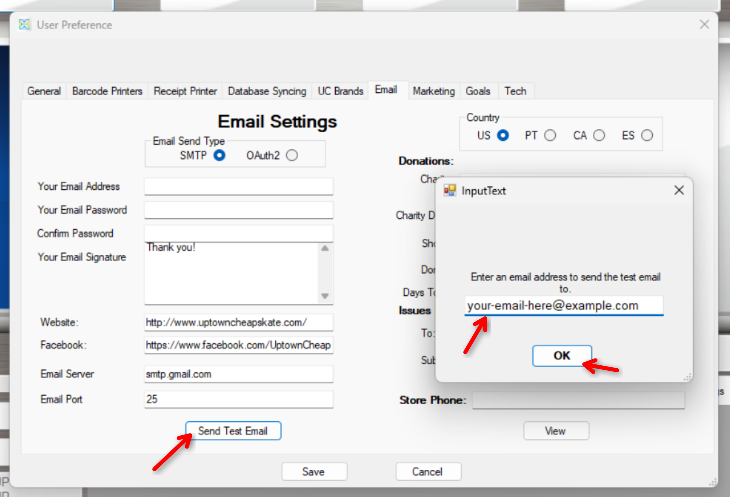
- Click "Send Test Email"
- Enter an email that you have access to, to confirm that you get the test email
- Click "OK" To send the test email
- Confirm you get it
Was this article helpful?
That’s Great!
Thank you for your feedback
Sorry! We couldn't be helpful
Thank you for your feedback
Feedback sent
We appreciate your effort and will try to fix the article