A new communication log built in the Baseline home page.
TABLE OF CONTENTS
- Communications Log/Baseline Home Page
- Manager and Employee Views + Edit Mode
- Announcements
- KPIs
- Projects
- Daily Checklist
- Rack Alerts
- Basecamp News
- Notes
- Floor Sweep
- Date Selection
Communications Log/Baseline Home Page
In order to use this feature you MUST be using the lock screen. You can learn more about the lock screen here
This is a brand new feature to being transitioning out of paper comm logs. This is the first step which is "Task Management" additional features such as Goal Setting and Shift Management will be coming soon.
Manager and Employee Views + Edit Mode
Permissions can be adjusted in Settings > Permissions > Comm Log "Update Comm Log" and "Edit Comm Log". The default is set for Managers to Edit the comm log and Sales Associates to Update.
The Manager view will include the edit mode and Manager notes. No one else will be able to see these.
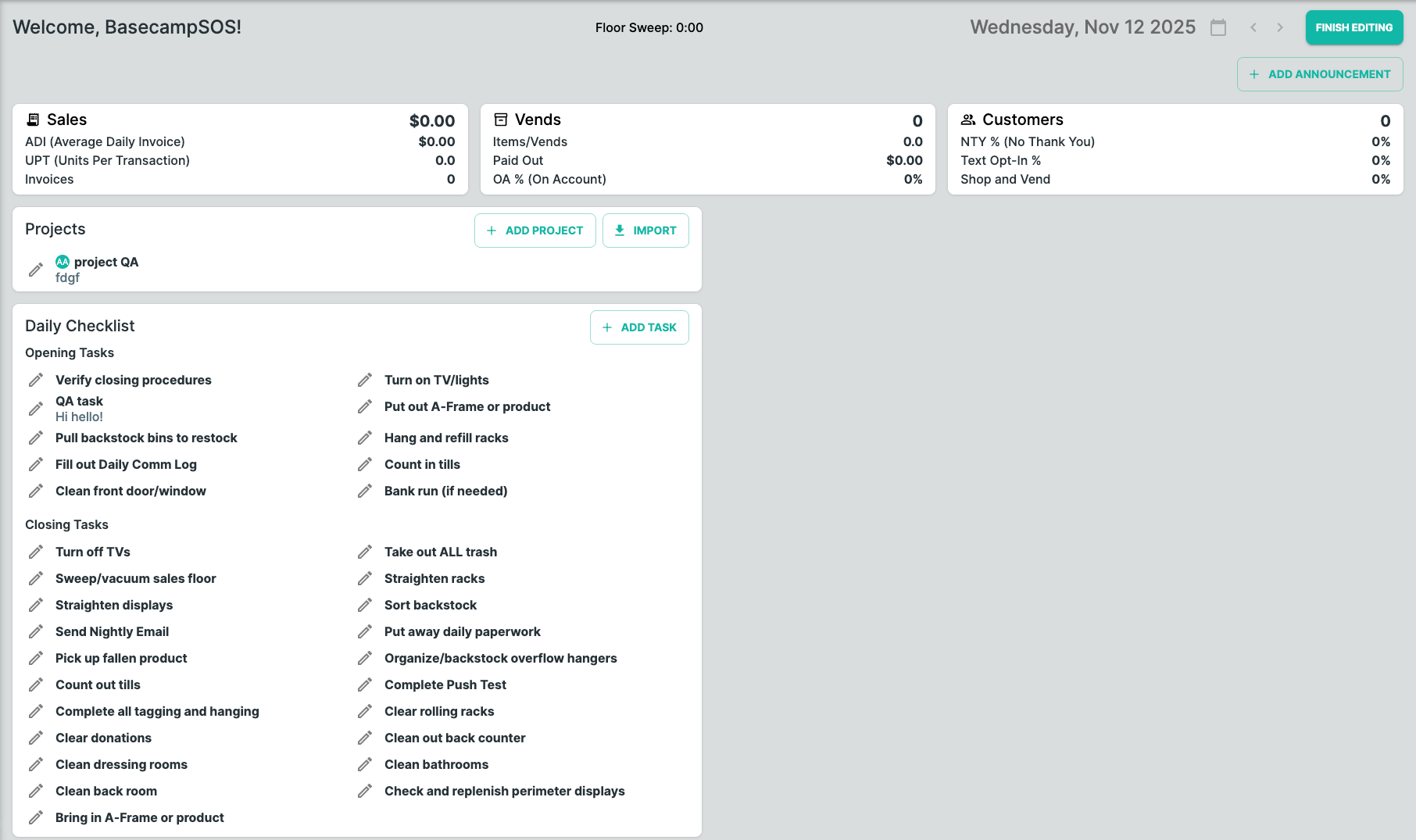
Under edit mode, Managers can:
- Create and edit announcements
- Create and edit projects
- Create and edit tasks
Announcements
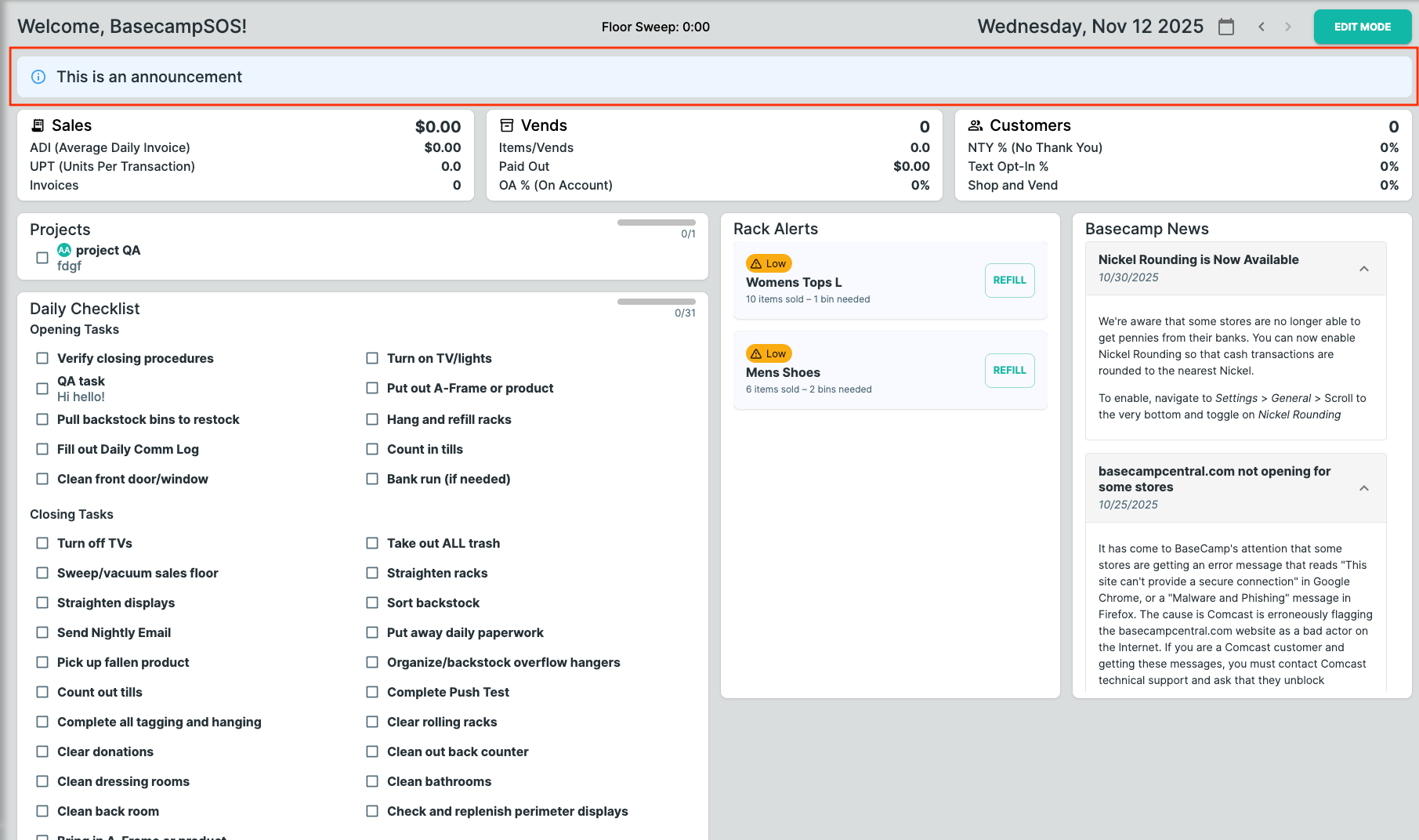
Announcements are a way for you to give employees important information to be aware of that day. Is there a promotion or holiday happening? Let them know!
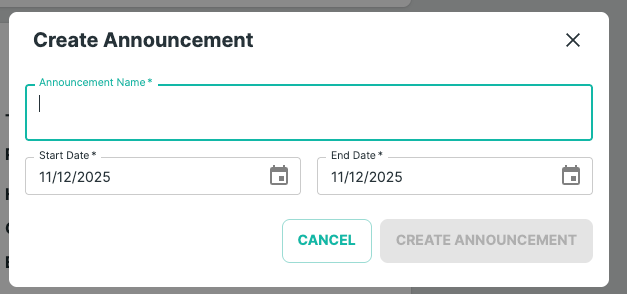
Create and Edit
- Add announcement details
- Input a date range for the announcement to run
View
KPIs
These currently display the same set of KPIs that were on the original home page. We will be updating this so that you can set and track your goals as well.
Projects
Projects cover all the things that need to be done in the store that aren't frequent daily tasks. This could be zoning, markdowns, cleaning tasks, or whatever needs to be done!
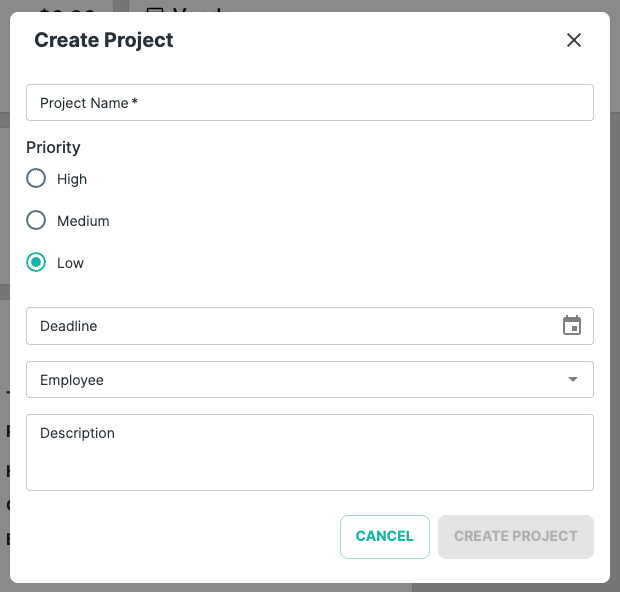
Create and Edit
- Add project name
- Set priority
- Input a deadline
- Assign an employee
- Add details
View
Employees can cross projects off as they are complete. Projects that are overdue will be highlighted in red.
Daily Checklist
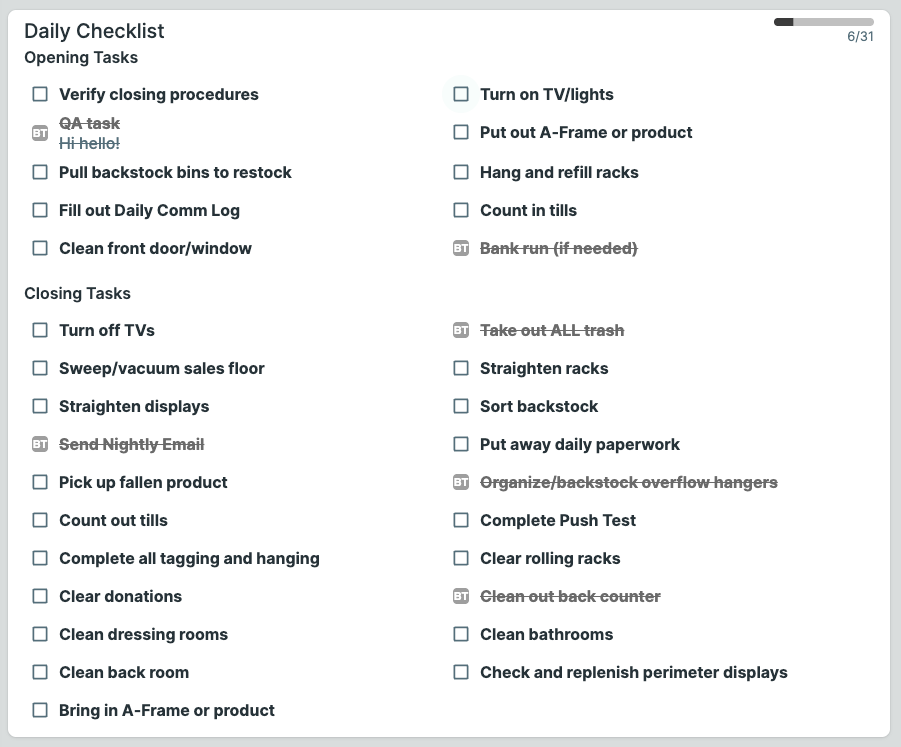
Daily Checklists replace the paper opening/closing sheets and keep all task execution in one place. This is full customizable so you can edit it to meet your store's needs.
Create and Edit
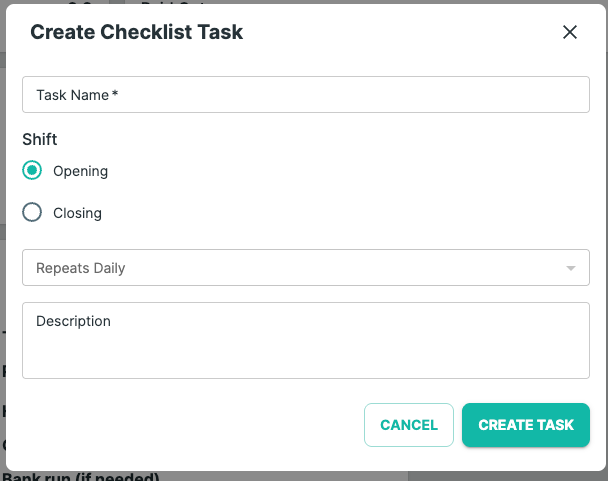
- Add Task Name
- Assign it a shift (open or closing)
- Add a description if needed
How it Works
- The checklist automatically displays Opening Tasks and Closing Tasks
- Employees check off tasks as they complete them
- Tasks reset automatically every day
Rack Alerts
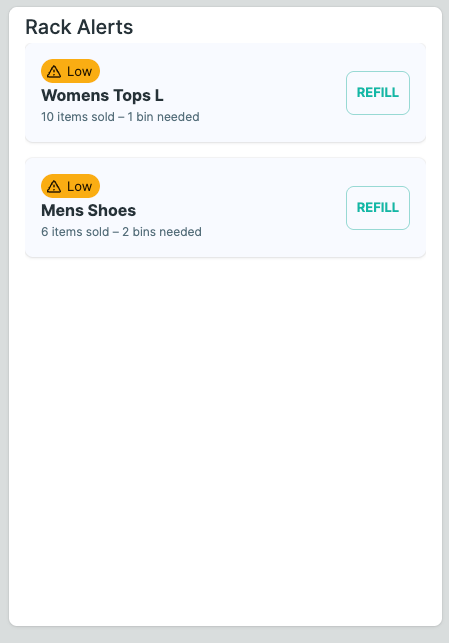
Rack Alerts gives employees a quick glance at the health of the store floor. They can click 'replenish' to see which bins should be pulled for the section and to complete the replenishment once they have unpacked a bin
Basecamp News
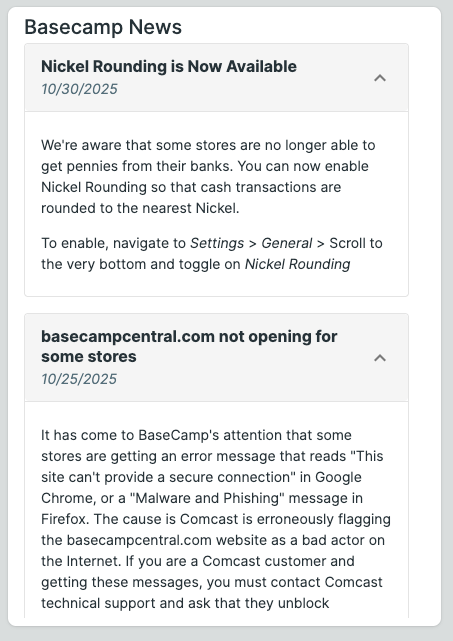
Basecamp News centralizes announcements from the franchise home office. These updates may include technology releases, operational changes, marketing campaigns, or compliance notifications.
Key Features
News tiles appear chronologically with the newest first.
Each entry includes:
- Post date
- Headline
- Full description when expanded
- These updates cannot be edited at the store level
Notes
The Notes section allows employees to capture quick, shift-relevant information. Managers can also input notes and are only viewable by other managers. These will also be pulled into the new version of the "Nightly Email".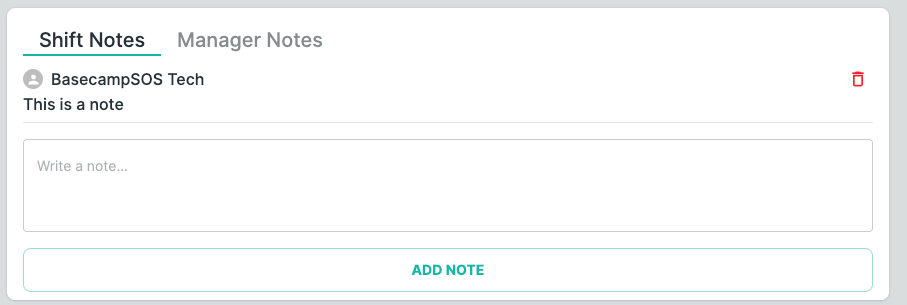
Floor Sweep
The floor sweep is a digital version of the 15 minute timer stores use to do a store walk through.
A timestamp displays at the top of the home screen that counts down from 15mins. After 15mins it will begin to flash red and start increasing the time.
Date Selection
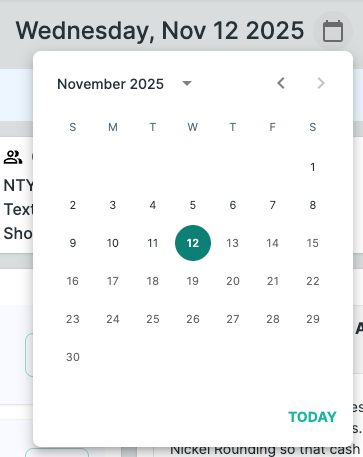
The date selection allows anyone to view previous day's Comm Logs. You can only view one day at a time.
Was this article helpful?
That’s Great!
Thank you for your feedback
Sorry! We couldn't be helpful
Thank you for your feedback
Feedback sent
We appreciate your effort and will try to fix the article